How to Get Application Logs on macOS
If you are having problems with running Pareto Desktop on your Mac, we might ask you to send over “logs” so we can investigate the issue.
You can get them by clicking on this link: paretosecurity://logs
Using the Console
If for whatever reason you can’t use the link above, you can also get the logs by using the Console app. One such reason would be if you are running Pareto Desktop as a standard non-admin user.
Here’s how you can do it:
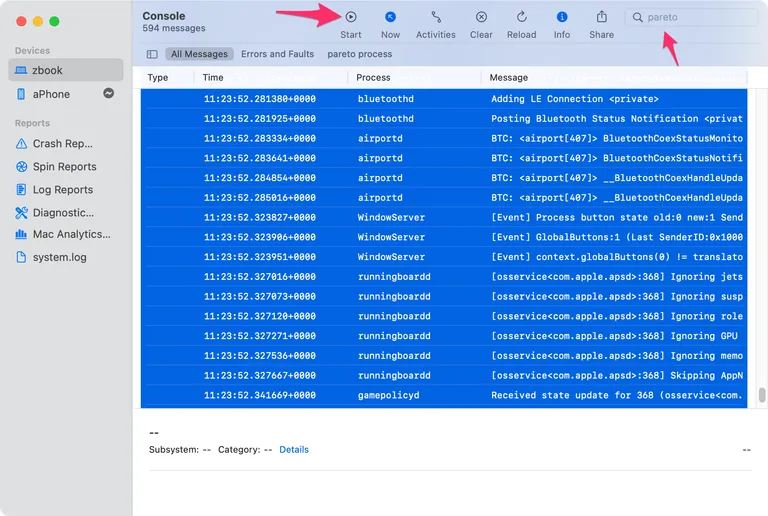
- Open the Console app. You can find it by searching for it in Spotlight or by going to Applications > Utilities > Console.
- In the Console app, click on the search bar in the top right corner and type
pareto. - Click the
Starticon. This will start logging. - Reproduce the issue you are having with Pareto Desktop, for example rerunning checks.
- Click the
Stopicon. Edit > Select Allto select all the logs.Edit > Copyto copy the logs.